SibalanceFree / PWYW
Sibilance, balanced.
Nothing else touched.
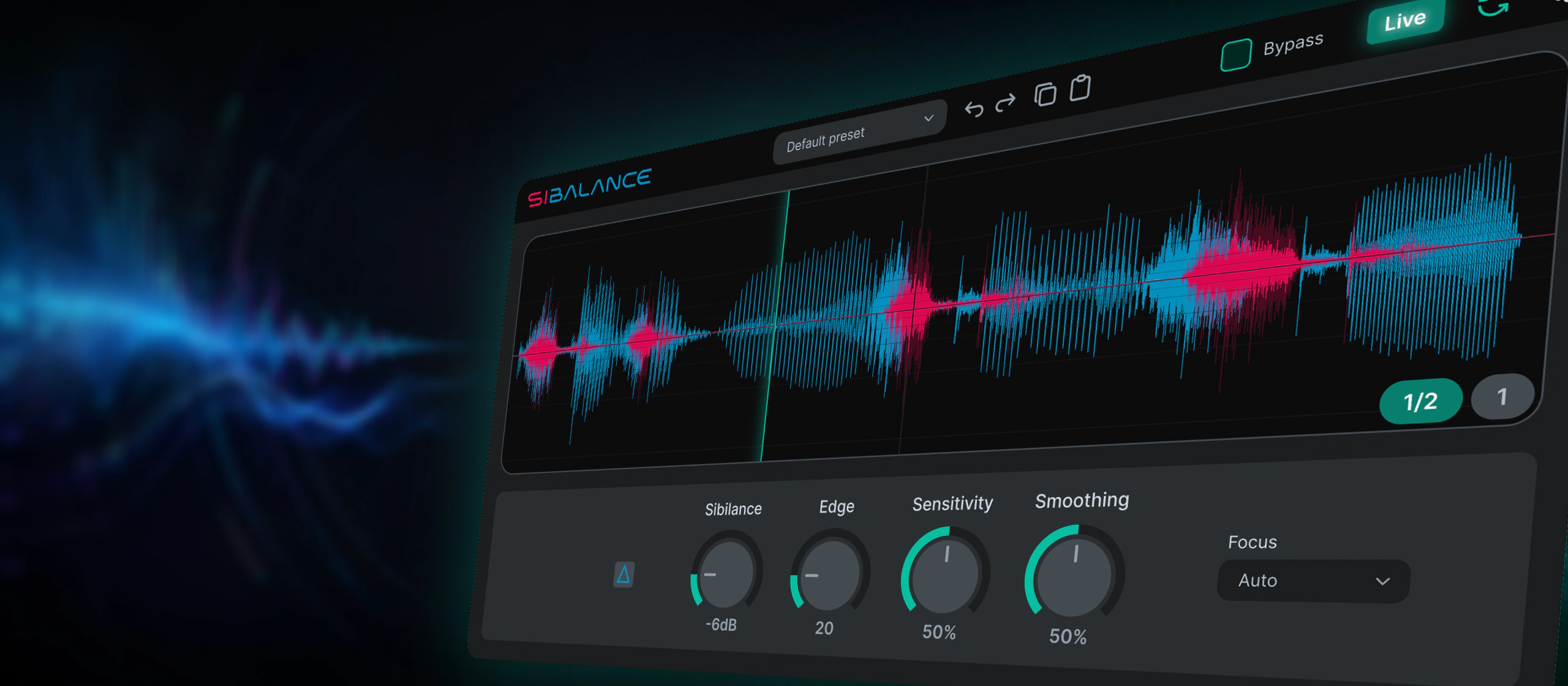
A vocal de-esser that listens for sibilance-like energy and applies reduction only when it is actually needed — and lets you hear what it detects.
Current version 1.2.2. If you have 1.2.1 or earlier, please update.
- Version
- 1.2.2
- Systems
- macOS · Windows · Linux
- Formats
- VST3 · CLAP · AU · LV2
- Licence
- Free · pay what you want
Interface and workflow
Plugin video
The idea
“Am I removing the right thing?”
The useful question in a de-esser is not only how much reduction, but whether you are removing the right thing. Sibalance keeps that question visible: delta monitoring lets you hear what is being taken out, while focus and smoothing modes keep the workflow fast.
- Detects sibilance-like vocal energy automatically.
- Controls sibilance gain without flattening the whole top end.
- Delta monitoring lets you hear the detected sibilance before the Sibilance level control.
- EDGE control moves from strict sibilance detection to broader harsh-voice detection.
- Live Mode provides a very low-latency path for performance and real-time monitoring.
- Focus modes: Auto, Low, Natural, and Bright.
- Smoothing modes: Tight, Normal, and Soft.
- Includes oscilloscope feedback, output volume, and bypass.
- Presets, update checks, optional auto-update checks, and UI scaling.
Main features
Controls that answer a question, not just move a number.
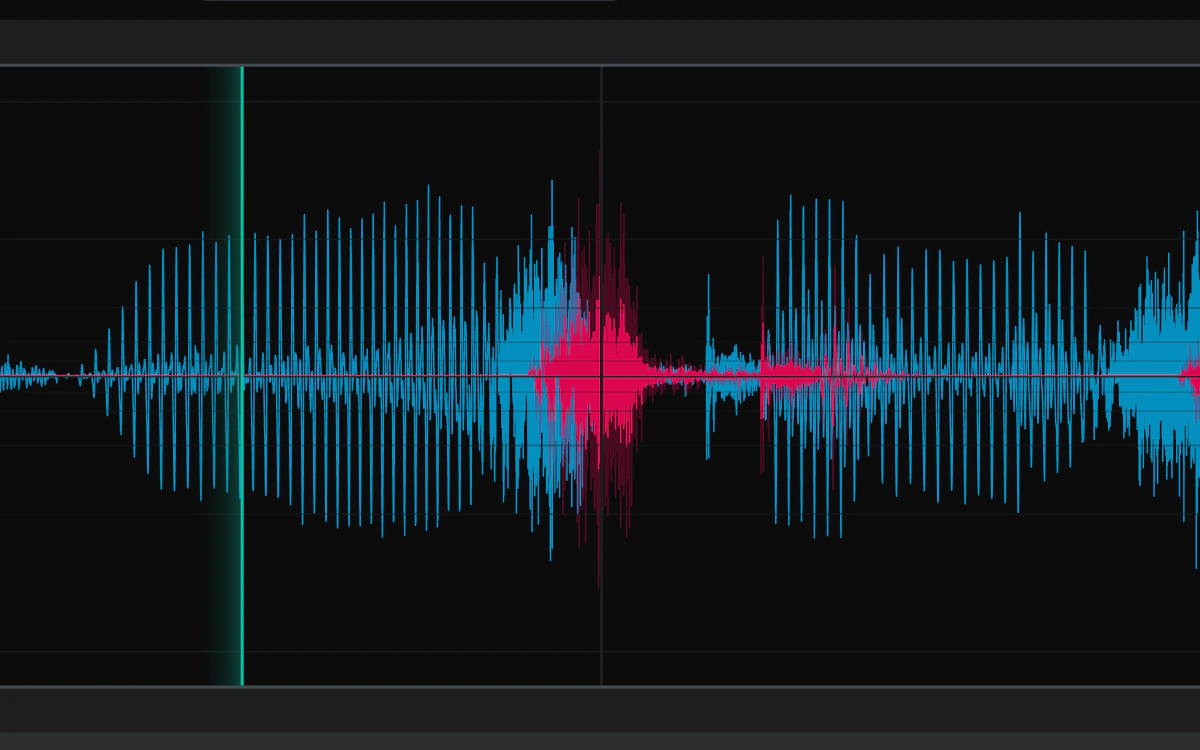
01 — Sibilance detection
Reacts to sharp moments, not to the whole top end.
The processor detects sibilance-like vocal energy automatically and controls its gain, instead of flattening everything above a frequency.
- Automatic detection of sibilant energy
- Top end stays intact between consonants
- Oscilloscope feedback shows what is happening
02 — EDGE control
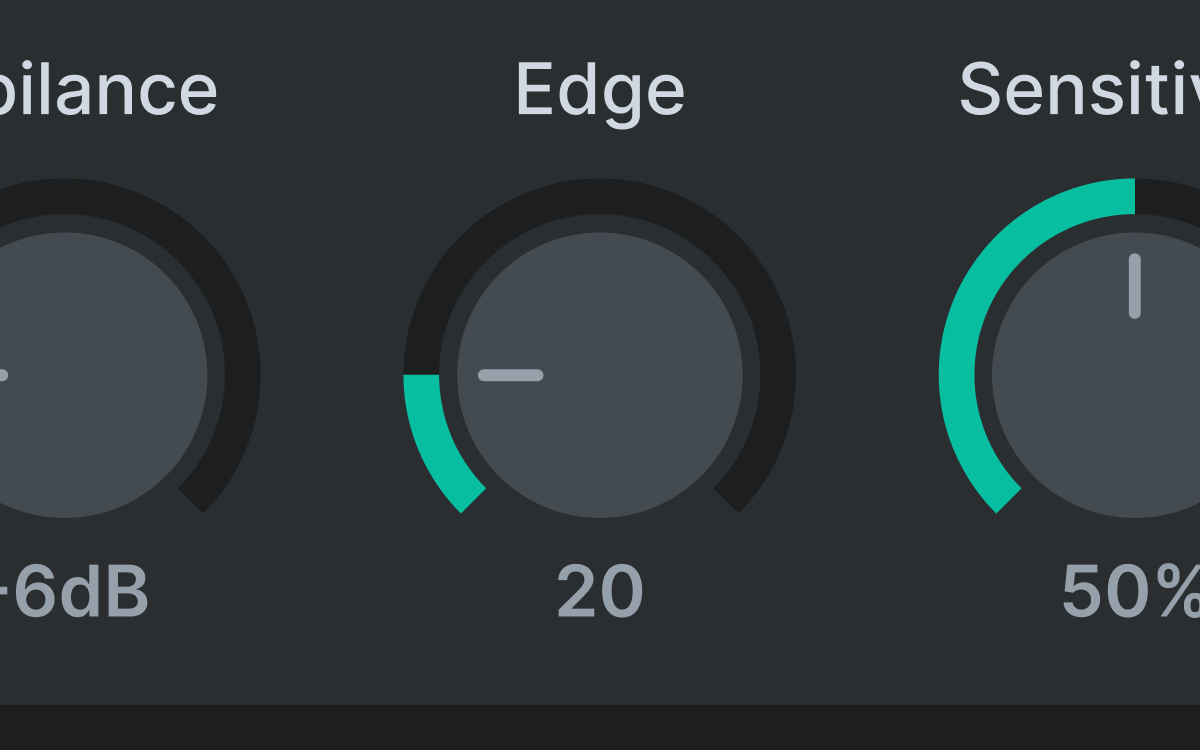
From strict sibilance to harsh-voice detection.
At low values EDGE focuses tightly on sibilance. Higher values also catch harsher voiced material, which helps on aggressive or very close takes.
- One control from strict to broad
- Useful on harsh, forward vocals
- Pairs with delta monitoring to stay honest
03 — Focus and Smoothing
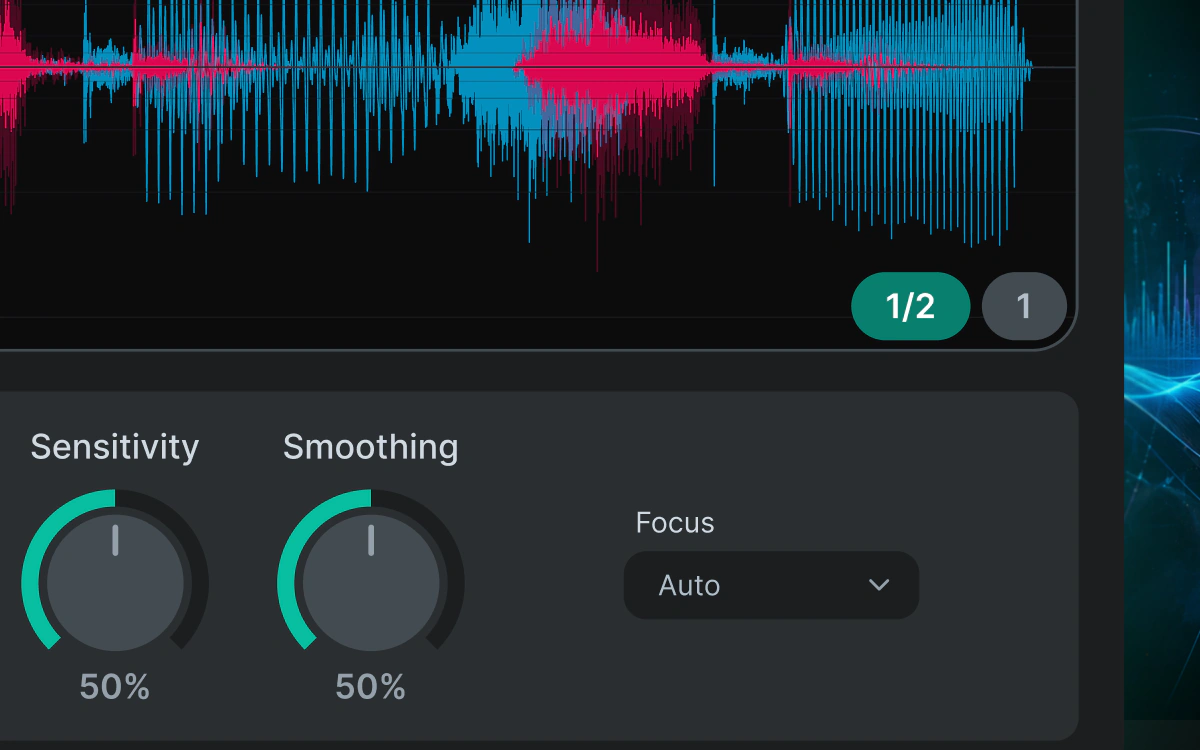
Target different voices and recording conditions.
Focus chooses where Sibalance listens; Smoothing chooses how quickly it moves. Between them, most vocals are handled without touching anything else.
- Focus: Auto, Low, Natural, Bright
- Smoothing: Tight, Normal, Soft
- Auto works first for most vocals
04 — Delta monitoring
Hear what Sibalance detects.
Listen to the detected sibilance before the Sibilance level control, then return to the full vocal to judge the amount of reduction.
- Monitor detected sibilance on its own
- Check what the detector is catching
- Works with every focus mode
05 — Live Mode
A low-latency path that stays practical.
Live Mode uses a lighter processing path for performance and real-time monitoring, so Sibalance stays usable while tracking, not only while mixing.
- Very low latency
- For live performance and monitoring
- Same detection behaviour, lighter path

06 — Settings
Your interface, your working environment.
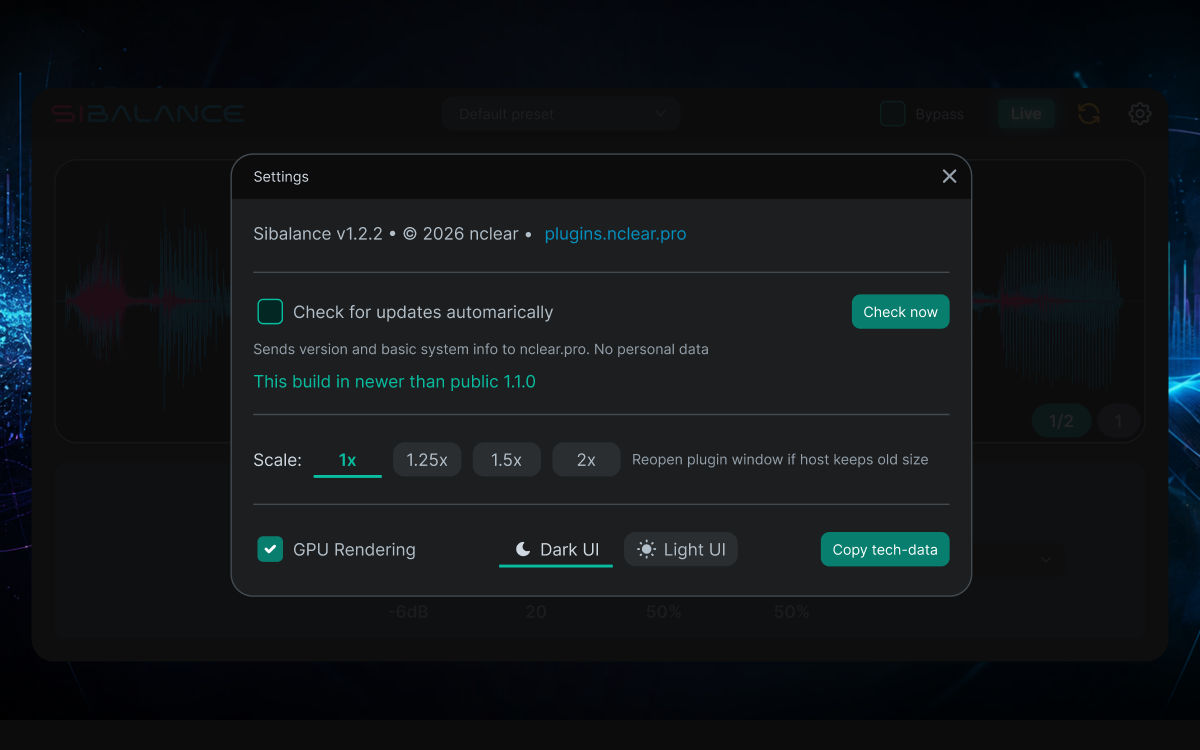
Adjust Sibalance for the display, room, and update workflow you use every day.
- UI Scaling for comfortable viewing
- Dark and Light interface themes
- Automatic update checks can be enabled or disabled
Interface
See it at full size.
Release notes
Changelog.
v1.2.2
- Added Undo and Redo controls, with preset loading and pasted settings kept as single reversible actions.
- Added Copy/Paste Settings through the system clipboard for moving portable sound settings between Sibalance instances.
- Improved colour consistency in Dark and Light themes.
v1.2.1
- Fixed preset menus that could stop responding in some DAWs; long lists now scroll when needed.
- Embedded the intended Inter font weights for consistent typography on macOS, Windows, and Linux.
- Enabled optional weekly automatic update checks on Linux, off by default.
- Lowered the minimum macOS deployment target to macOS 10.13 for Intel builds; Apple Silicon requires macOS 11.0 or later.
v1.2.0
- Reworked detection and added EDGE control, from strict sibilance focus to broader harsh-voice detection.
- Added low-latency Live Mode for performance and real-time monitoring.
- Added factory and user presets.
- Added manual and optional automatic update checks using minimal technical data about the DAW, operating system, and current plugin, with no telemetry.
- Added Settings with Dark and Light themes and UI scaling at 1x, 1.25x, 1.5x, and 2x.
- Improved oscilloscope feedback and rendering.
- Fixed export hangs in some DAW and OS combinations, plus smaller UI and behaviour issues.
v1.1.0
- Added Delta BEFORE sibilance volume, Sibilance Sensitivity, Bypass, and continuous Smoothing.
- Rebuilt the oscilloscope and fixed saved Dark and Light theme state.
- Added technical-data copying, Linux builds, GPU rendering, host compatibility fixes, and performance improvements.
v1.0.0
- Initial internal release with sibilance volume, Delta monitoring, Focus, and Smoothing modes.